

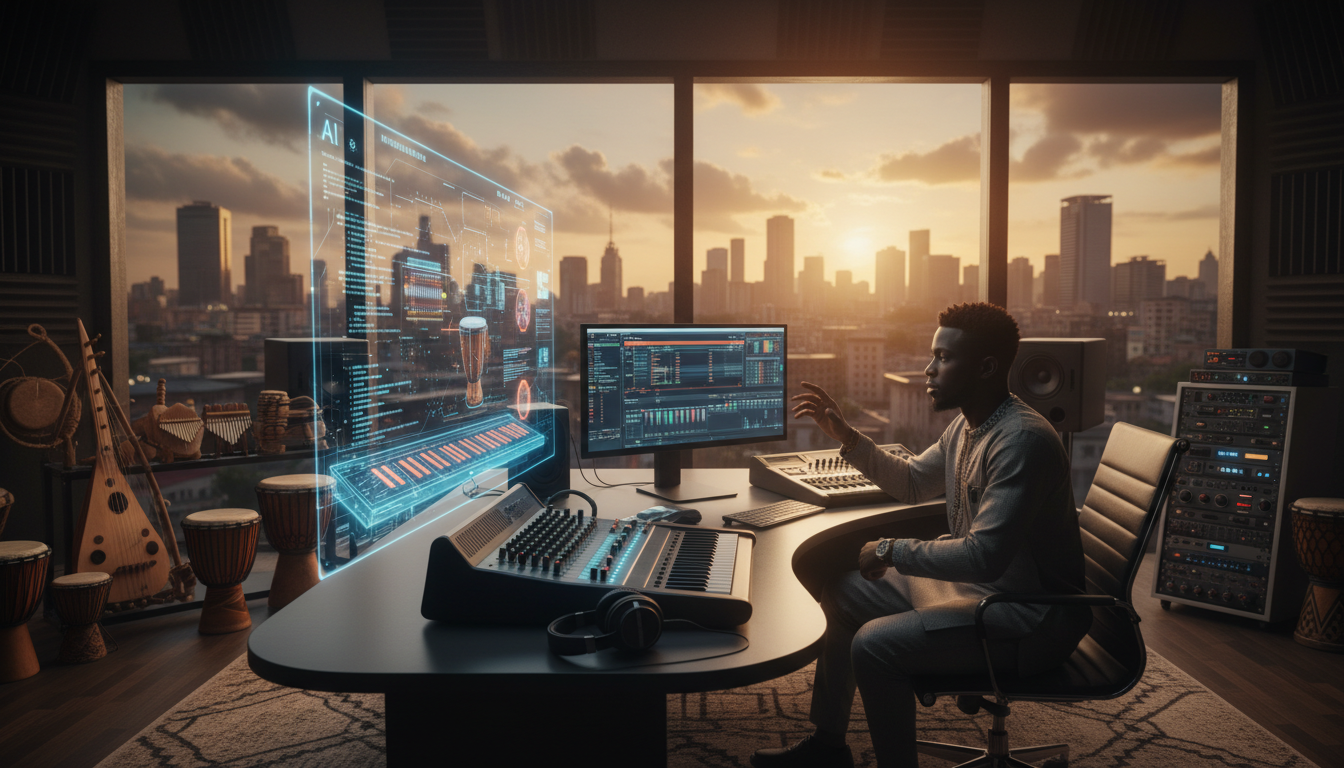
Produce Professional Afrobeats with AI: From Lagos Rhythms to Amapiano
Afrobeats, with its infectious rhythms, soulful melodies, and vibrant energy, has taken the world by storm. From the bustling streets of Lagos to the global stage, this genre and its offshoots like Amapiano are dominating charts and dance floors. But what if you could tap into this musical phenomenon, producing studio-quality tracks without expensive equipment or years of training? Enter SongUp AI, the revolutionary free AI music creation platform that empowers you to craft professional Afrobeats, Amapiano, and more, right from your browser.
Forget the limitations of traditional DAWs or the paywalls of competitors like Suno and Udio. SongUp AI offers a comprehensive suite of AI-powered tools designed to democratize music production, putting the power of a full studio at your fingertips. Whether you're a seasoned producer looking to streamline your workflow or a newcomer eager to make your mark, this guide will show you how to leverage AI to produce professional-grade Afrobeats that resonate with the spirit of Africa and beyond.
Key Takeaways
- Democratize Afrobeats Production: SongUp AI offers a free, powerful alternative to expensive DAWs, Suno, and Udio, making professional Afrobeats creation accessible to everyone.
- Comprehensive AI Toolkit: Utilize tools like the AI Music Generator, Pro Studio, Stem Separator, AI Mastering, and Neural Auto-Tune to build, refine, and polish your tracks.
- Seamless Workflow: From text prompts and humming melodies (Humming to Song) to multi-track editing (Audio Editor & Timeline), SongUp AI guides you through every step of the production process.
- Unrivaled Value: SongUp AI provides unlimited free daily credits, full commercial rights, and advanced features like stem separation and AI mastering, unlike limited competitors.
- Monetization Potential: Learn how to turn your AI-generated Afrobeats into income through streaming, licensing (using tools like the Background Music Generator), and beat sales.
- Aggressive Competitor Advantage: SongUp AI offers superior control, creative flexibility, and a truly free ecosystem compared to Suno AI and Udio, which often gate advanced features behind subscriptions.
The Afrobeats Phenomenon: Rhythms That Move the World
Afrobeats isn't just a genre; it's a cultural movement. Originating in West Africa, particularly Nigeria and Ghana, it's a dynamic fusion of West African music (Highlife, Fuji), Afro-Caribbean sounds, hip-hop, R&B, and electronic dance music. Characterized by its polyrhythmic percussion, catchy melodies, call-and-response vocals, and often pidgin English lyrics, Afrobeats has become a global force.
The rise of Amapiano, a subgenre from South Africa, further illustrates this evolution. With its deep house influences, distinctive log drum basslines, syncopated high hats, and soulful vocals, Amapiano has carved its own niche, captivating audiences worldwide. Both Afrobeats and Amapiano demand a keen understanding of rhythm, groove, and sonic layering – elements that AI can now help you master.
Why AI is the Game Changer for Afrobeats Production
Historically, producing high-quality music required significant investment in studio equipment, software, and specialized skills. This often created a barrier for aspiring artists, especially those outside traditional music industry hubs. AI-powered music production shatters these barriers:
- Accessibility: Create professional tracks with just an internet connection and a browser.
- Speed: Generate complex arrangements, melodies, and rhythms in seconds, dramatically cutting down production time.
- Experimentation: Easily try out different styles, instruments, and vocal approaches without re-recording or complex manual programming.
- Skill Augmentation: AI fills in gaps, offering tools like perfect pitch correction (Neural Auto-Tune) and instant mastering (AI Mastering) that would otherwise require years of practice or expensive engineers.
- Cost-Effectiveness: With platforms like SongUp AI, you get access to a full suite of professional tools entirely free.
SongUp AI: Your Ultimate Afrobeats Production Powerhouse
SongUp AI isn't just an AI Music Generator; it's a comprehensive digital audio workstation (DAW) in the cloud, packed with specialized tools perfect for crafting authentic Afrobeats and Amapiano tracks.
- AI Music Generator: The heart of your creation. Simply describe the Afrobeats vibe you're aiming for – think
Deep Dive: The Science & Neural Architecture Behind AI Music Creation
To understand why modern AI music production is reshaping the global entertainment landscape, we have to look beneath the surface at the neural audio architecture powering modern generation engines. Traditional digital audio workstations (DAWs) rely entirely on recorded wave audio or MIDI sample playback. In contrast, modern neural audio models synthesize complex harmonic structures directly from high-dimensional latent space.
At the core of platforms like SongUp AI is a multi-stage acoustic pipeline combining transformer-based token generation with continuous latent diffusion vocoders. When a creator types a prompt or records a melodic hum, the system performs several computationally intensive steps in milliseconds:
- Semantic & Harmonic Prompt Parsing: The natural language understanding (NLU) layer breaks your prompt into musical descriptors: key, mode (major, minor, dorian), tempo (BPM), rhythmic syncopation, timbral density, and emotional valence.
- Latent Spectrogram Synthesis: Rather than attempting to predict millions of raw 44.1kHz audio samples per second, the diffusion model generates high-resolution mel-spectrogram representations in a compressed latent space. This approach preserves acoustic realism, spatial reverb, and organic instrument decay while keeping generation instantaneous.
- Neural Vocoding & Phase Restoration: A state-of-the-art neural vocoder reconstructs full 24-bit studio audio from the synthesized spectrogram, calculating exact phase relationships across every frequency band to eliminate the robotic artifacts common in older algorithmic tools.
- Intelligent Multitrack Demixing: Through built-in machine learning models, individual musical layers—drums, bass, lead vocals, harmonies, and accompaniment—are mapped onto distinct virtual tracks. This allows creators to seamlessly isolate stems using the Stem Separator or clean dialogue with the Noise Remover.
By bringing these complex acoustic models into an intuitive browser-based interface, creators no longer need expensive studio hardware, multi-thousand-dollar outboard gear, or decades of music theory training to manifest their sonic visions.
Step-by-Step Masterclass: How to Craft Studio-Grade AI Music from Scratch
Whether you are producing your first single or drafting commercial background audio for global campaigns, following a structured creative framework ensures your output sounds polished, radio-ready, and cohesive. Here is the definitive production blueprint used by elite creators on SongUp AI:
Step 1: Architecting High-Converting Descriptive Prompts
The difference between generic output and an unforgettable track lies in your prompt engineering. Avoid single-word queries like "pop song" or "rock beat." Instead, layer your prompt with five essential musical pillars:
- Primary Genre & Sub-Genre: e.g., Cinematic synthwave with 80s analog warmth, Modern melodic trap, Lush indie folk.
- Instrumentation & Texture: e.g., driving 808 bass, crisp acoustic guitar arpeggios, vintage tape saturation, breathy vocal delivery.
- Rhythmic Tempo & Energy: e.g., fast 140 BPM, laid-back half-time groove, syncopated polyrhythms.
- Lyrical Theme or Mood: e.g., nostalgic summer road trip, triumphant underdog anthem, melancholic midnight reflections.
- Production Polish: e.g., wide stereo field, punchy sidechain compression, crystal-clear high end.
Step 2: Generating and Auditioning Base Compositions
Once your prompt is ready, generate multiple variations in the AI Music Generator. Listen carefully to the chord progressions, vocal hooks, and rhythmic dynamics. If you have a specific vocal melody in your head that words cannot describe, use Humming to Song to sing or hum the melody directly into your microphone. The AI will analyze your pitch contours and construct a rich orchestral or modern electronic arrangement around your voice.
Step 3: Isolating and Refining Vocal & Instrumental Stems
Professional music production requires individual control over instruments. If you love a vocal hook but want to swap the drum pattern, run the track through the Stem Separator. In seconds, you will receive four separate studio stems:
- Vocals: Ready for fine-tuning with Neural Auto-Tune or vocal timbre morphing via Live Voice Changer.
- Drums: Perfect for chopping up and re-arranging in our Sampling Tool.
- Bass: Easily modified to fit your low-end mix targets.
- Instruments & Synths: Transferrable to MIDI using Audio to MIDI or morphable with Timbre Transfer.
Step 4: Arrangement & Multi-Track Editing in the Timeline
Take your separated stems and arrange them on the visual multi-track Audio Editor & Timeline. Slice unwanted sections, drag and drop intros and chorus hooks, automate volume swells, and create seamless transitions with crossfades. If you want to blend two distinct genres or songs together, harness the Mashup Creator and AI Blend to automatically synchronize tempo and musical keys.
Step 5: Professional Mastering for Commercial Streaming
An unmastered mix will sound quiet, muddy, and weak compared to commercial releases on Spotify, Apple Music, or YouTube. Feed your final mix through AI Mastering. The mastering engine automatically applies multi-band compression, dynamic stereo widening, harmonic saturation, and peak limiting to hit the industry standard -14 LUFS target. Your song emerges punchy, loud, balanced, and ready for commercial distribution.
Competitive Benchmark: SongUp AI vs Suno, Udio, and Traditional DAWs
To understand the competitive edge SongUp AI delivers to modern musicians, let us examine how it compares directly with existing market solutions like Suno, Udio, and legacy desktop software:
| Feature / Capability | SongUp AI | Suno AI | Udio AI | Traditional DAWs (FL Studio / Ableton) |
|---|---|---|---|---|
| Free Access & Daily Credits | 100% Free daily generation | Strict paywall after basic credits | Limited free quota with long queues | $200 - $800 upfront software license |
| Built-in Stem Separation | Included Free (Stem Separator) | Locked behind expensive Pro tier | Extra charge or external export | Requires $300+ third-party plugins |
| Integrated Audio Editor | Visual Audio Editor & Timeline | No multi-track editing available | Basic clip extension only | Steep learning curve, months to master |
| AI Studio Mastering | One-click AI Mastering | None (raw unmastered output) | None (raw unmastered output) | Requires dedicated mastering engineer |
| Vocal Pitch & Auto-Tune | Neural Auto-Tune | No user pitch correction | No pitch manipulation tools | Paid plugins (Antares Auto-Tune) |
| Humming / Audio Input | Humming to Song | Text-only prompting | Text-only prompting | Manual audio recording and editing |
| Commercial Rights | Full commercial monetization | Restricted on free tiers | Restricted on free tiers | Full ownership |
| Hardware Requirements | Runs 100% in browser (any device) | Cloud-based | Cloud-based | High-end multi-core PC / GPU |
Why Creators Are Migrating from Suno and Udio to SongUp AI
- Zero Creative Friction: While competing platforms lock essential post-production features like stem isolation and high-resolution WAV downloads behind monthly paywalls, SongUp AI empowers creators with an end-to-end studio in a single ecosystem.
- Total Post-Generation Control: Generating a track is only the first step. With SongUp AI's multi-track timeline, creators can actually edit, slice, mix, and tune their music rather than relying on endless random generations that waste time and tokens.
- Pristine Acoustic Separation: When extracting acapellas or instrumentals using our Acapella Extractor or Karaoke Maker, our neural models prevent frequency bleeding, resulting in studio-clean stems suitable for official commercial remixes.
Creator Monetization Playbook: Turning AI Music into Recurring Revenue
The democratization of music creation has unlocked unprecedented monetization avenues for independent producers, content creators, and entrepreneurs. Here is how top artists are turning tracks made with SongUp AI into viable income streams:
1. Royalty-Free Music Licensing for YouTube, TikTok & Reels
Every video published on social media requires compelling audio to capture viewer retention. Using the Background Music Generator, creators can produce genre-specific background music libraries (lo-fi study beats, corporate tech background music, dynamic gaming intros) and license them to video creators, podcast hosts, and marketing agencies on platforms like AudioJungle, Pond5, or custom subscription hubs.
2. Streaming Distribution on Spotify, Apple Music & Amazon Music
With AI Mastering ensuring compliance with streaming loudness standards, independent artists can distribute full albums through digital distributors like DistroKid, TuneCore, or CD Baby. Curating themed instrumental playlists (sleep music, workout EDM, meditation soundscapes) consistently attracts millions of monthly streams, generating reliable passive streaming royalties.
3. Ghost Production & Custom Beat Selling
Hip-hop, EDM, and pop producers frequently sell custom beats and instrumentals on marketplaces like BeatStars and Airbit. By starting compositions with SongUp AI, chopping unique vocal chops in the Sampling Tool, and polishing the mix in the Audio Editor & Timeline, producers can output 10x more high-grade tracks per week than traditional beatmakers.
4. Custom Personalized Songs for Weddings, Birthdays & Milestones
Personalized music is one of the fastest-growing gift industries online. Creators charge $50 to $250 per custom song, taking client stories, names, and romantic memories, generating bespoke acoustic ballads or upbeat anthems with SongUp AI, and delivering memorable lifetime gifts with zero production overhead.
Frequently Asked Questions (FAQ)
Can I legally monetize songs created on SongUp AI on Spotify and YouTube?
Yes. Music created on SongUp AI comes with commercial usage permissions, allowing you to upload your tracks to Spotify, Apple Music, YouTube Content ID, TikTok, and commercial broadcasts without copyright strikes or royalty claims.
How does SongUp AI compare to traditional DAWs like Ableton Live or FL Studio?
Traditional DAWs require hundreds of dollars in software, expensive third-party VST plugins, and months of steep learning curves to learn synthesis, EQing, and mixing. SongUp AI combines generation, editing, stem separation, and mastering into a single browser-based platform, allowing you to produce commercial-grade music in minutes while still offering advanced tools like the Audio Editor & Timeline for granular control.
Can I isolate vocals or make karaoke versions of existing songs?
Absolutely. Using our dedicated Karaoke Maker and Stem Separator, you can upload any pre-existing audio track and extract crystal-clear vocals, instrumentals, basslines, or drums in seconds with zero vocal bleed.
What is the best way to write prompts for AI music generation?
The most effective prompts combine genre, tempo, instruments, vocal delivery, and emotional mood. For example, instead of typing "rock song", prompt: "Energetic 90s alternative grunge rock, 135 BPM, distorted fuzz guitars, heavy acoustic drums, raw male vocals with raspy emotional chorus."
Does SongUp AI offer vocal tuning and voice changing features?
Yes. SongUp AI features both Neural Auto-Tune for automated pitch correction and scale alignment, as well as the Live Voice Changer for morphing vocal timbres into different character personas or vocal registers.
🎵 Explore SongUp AI Tools & Features
Transform your ideas into radio-ready music with SongUp AI's suite of free creative tools:
- Create Music: Generate original songs from simple text prompts with our AI Music Generator or dive into the full Pro Studio.
- Vocal & Track Tools: Isolate instruments with the Stem Separator, remove vocals using the Karaoke Maker, tune melodies with Neural Auto-Tune, or alter voices with the Live Voice Changer.
- Audio Engineering: Polish your tracks with one-click AI Mastering, slice and arrange clips in the Audio Editor & Timeline, or craft remixes in Mashup Creator.
- Content Creator Essentials: Generate custom soundtracks with the Background Music Generator or turn melodies into tracks with Humming to Song.