
You finished the mix. It sounds good in your headphones, then you play it in the car, next to a song you love, and it sounds small, dull or quiet. That gap is what mastering closes. It is the last step before release: a few careful moves that make a song sound finished, play at the right loudness on Spotify and YouTube, and hold up on every speaker from earbuds to a club system.
This guide shows you how to master a song at home, step by step, with any DAW (FL Studio, Ableton Live, Logic, GarageBand, Reaper, Cubase) and free plugins. You'll learn what each step does, the numbers that matter (LUFS, true peak, headroom), the mistakes that ruin most home masters, and when it's worth using AI mastering instead.
How to master a song, in short
- Prepare the mix: export a 24-bit WAV with peaks around −6 dBFS, no limiter on the master bus.
- Pick a reference track in the same genre and match its volume before you compare.
- EQ gently: cut mud (200–400 Hz) and harshness, add a little air. Moves of 1–2 dB.
- Compress lightly: ratio 1.5:1 to 2:1, 1–2 dB of gain reduction, to glue the mix.
- Limit: ceiling at −1 dBTP, raise the gain until the song sits around −14 to −9 LUFS integrated.
- Check on several speakers, then export: WAV for distributors, a high-quality MP3 for sharing.
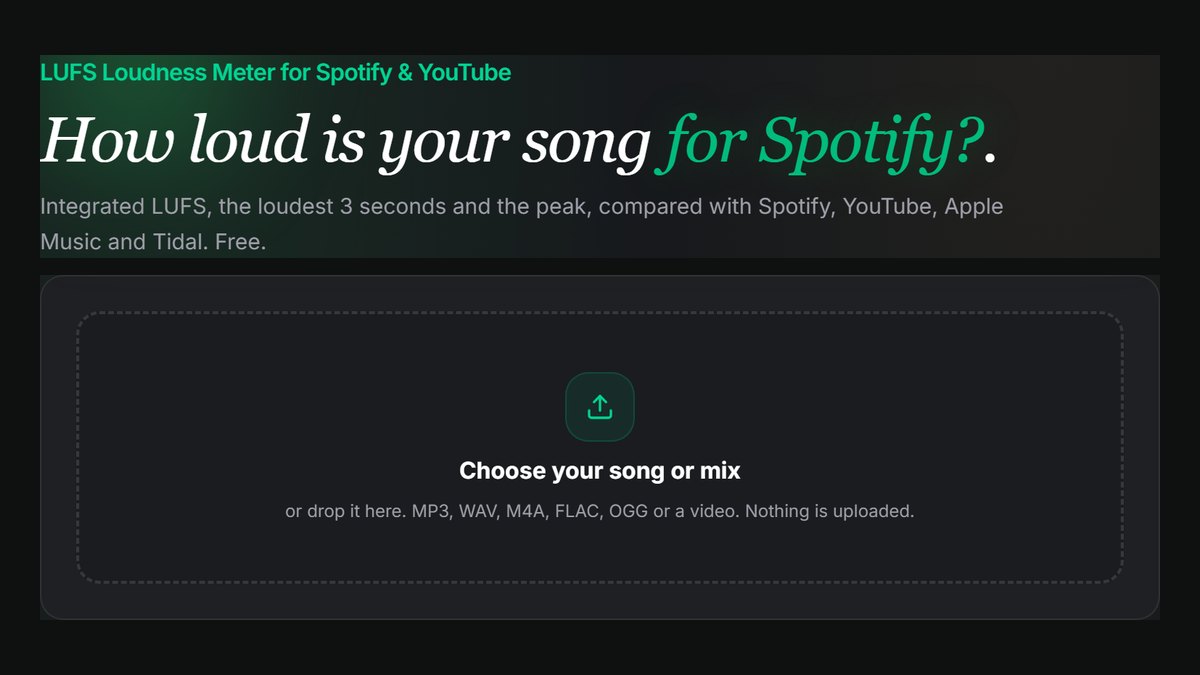
Measure the result in the free LUFS Loudness Meter.
What mastering is (and what it isn't)
Mixing balances the parts of a song: how loud the vocal is against the drums, where each instrument sits left to right, which sounds get reverb. Mastering works on the finished stereo file as a whole. It can't turn the vocal up or fix a muddy snare on its own; it shapes the overall tone, controls the dynamics, sets the final loudness and prepares the file for release.
Think of it as the final polish and a quality check at once. A good master:
- Translates: it sounds balanced on phone speakers, earbuds, a laptop, a car and a big system, not just on the speakers you mixed on.
- Competes: it sits at a loudness and tone close to other released songs in the genre, so it doesn't sound weak in a playlist.
- Is technically clean: no clipping, no distortion from the limiter, the right file format for the platform.
The most important thing to know before you start: mastering can't fix a bad mix. If the vocal is buried or the bass is booming, go back to the mix. Mastering moves are small. If you find yourself boosting 6 dB of anything, the problem is in the mix.
Step 1: Prepare your mix for mastering
Good mastering starts with a good export. Before you bounce the mix:
- Remove the limiter and loudness tools from the master bus. Keep any bus compression you mixed with if it's part of the sound, but take off anything that's only there to make it loud.
- Leave headroom. The loudest peaks should land around −6 to −3 dBFS. This gives the mastering chain room to work.
- Export a WAV at 24-bit (or 32-bit float) and the session's sample rate, usually 44.1 kHz or 48 kHz. Never master from an MP3: it has already thrown away detail.
- Leave a little silence at the start and end, and don't fade out yet if you want to fade in mastering.
Listen to the whole export once at a moderate level. Note anything that bothers you: sibilance on "s" sounds, a booming note in the bass, a harsh cymbal. Some of it you'll fix in the master; some of it is a sign to go back to the mix.
Step 2: Choose a reference track
A reference track is a released song in the same genre whose sound you like. It's the single most useful tool in home mastering, because your ears adjust to whatever you're hearing within minutes. Switching to a reference resets them.
Import the reference into the same project, on its own track that skips your mastering chain. Then turn the reference down to the same loudness as your song before you compare. Released songs are very loud, and louder always sounds better at first. If you compare without matching loudness, you'll chase volume instead of tone.
Use the LUFS Loudness Meter to measure both files, then lower the reference until their integrated LUFS numbers match. Now you can compare honestly: is my low end as tight? Is my vocal as clear? Is the top end as smooth?
Step 3: EQ the whole song gently
Mastering EQ is about broad, small moves. Typical starting points:
| Area | Frequency | What to listen for | Typical move |
|---|---|---|---|
| Sub and rumble | below 30 Hz | Energy you can't hear that eats headroom | High-pass filter at 20–30 Hz |
| Low end | 60–120 Hz | Kick and bass weight | ±1 dB, only if it's too thin or boomy |
| Mud | 200–400 Hz | Boxy, cloudy, "blanket over the speakers" | Cut 1–2 dB with a wide curve |
| Presence | 2–5 kHz | Vocal clarity, but also harshness | Small cut if harsh, small boost if dull |
| Sibilance | 5–9 kHz | Sharp "s" and "t" sounds | De-esser, or a narrow cut |
| Air | 10–16 kHz | Openness, sparkle | Gentle shelf boost of 0.5–1.5 dB |
Use wide curves (low Q) and switch the EQ on and off at matched loudness to confirm each move helps. A linear-phase EQ is a good choice for mastering because it doesn't shift the phase between frequencies, though a normal EQ is fine for small moves.
If you're boosting or cutting more than 2–3 dB, stop and ask whether the mix needs fixing instead.
Step 4: Compress lightly to glue the mix
Compression in mastering isn't about squashing; it's about glue: making the parts move together and controlling the biggest swings in level.
A safe starting setting for a stereo bus compressor:
- Ratio: 1.5:1 to 2:1
- Attack: 10–30 ms (slow enough to let the drum hits through)
- Release: 100–300 ms, or auto
- Threshold: set so the meter shows 1–2 dB of gain reduction on the loudest parts
Match the output level so the compressed version isn't louder, then compare. You should hear a slightly tighter, more even song, not a flatter one. If the drums lose their punch, slow the attack or reduce the gain reduction.
Multiband compression splits the song into bands (say, lows, mids and highs) and compresses each one separately. It can tame a bass that jumps out on certain notes without touching the vocal. It's powerful and easy to overdo, so use it only for a specific problem you can hear.
Step 5: Add saturation and stereo width (optional)
Two optional steps can add character:
- Saturation: gentle tape or tube saturation adds harmonics that make a mix sound warmer and louder at the same level. Keep it subtle; if you can clearly hear it, it's probably too much.
- Stereo width: a little widening on the highs can make a mix feel bigger. Keep the low end (below about 120 Hz) mono, so the kick and bass stay solid and the song still works on mono speakers like many phones and smart speakers.
Check the song in mono now and again. If the vocal or a key instrument disappears in mono, there's a phase problem, and widening is making it worse.
Step 6: Limit to the right loudness
The limiter is the last plugin in the chain. It stops peaks from going over a ceiling, so you can raise the overall level without clipping. This is where you set the final loudness.
- Set the ceiling (output) to −1 dBTP. "TP" means true peak: the peaks that appear between samples when the file is converted to MP3 or AAC. A −1 dB ceiling keeps those conversions from distorting. If your master is very loud (louder than about −9 LUFS), Spotify suggests −2 dBTP.
- Raise the input gain until the song reaches your target loudness.
- Watch the gain reduction. On a dense pop or EDM master, 3–5 dB of limiting on the loudest parts is common. On acoustic or jazz, keep it to 1–2 dB.
- Listen for damage: drums that lose their snap, a pumping sound, distortion on the bass. Back off if you hear it.
How loud should a master be?
Streaming services normalise loudness: they turn loud songs down so every song plays at a similar volume. By default, Spotify, YouTube and Tidal play music at about −14 LUFS, and Apple Music at about −16 LUFS. A master louder than that is simply turned down, and if you crushed it to get there, it now sounds quieter and flatter than a more dynamic master.
Practical targets for the integrated loudness of the whole song:
| Style | Typical integrated loudness |
|---|---|
| Acoustic, folk, jazz, classical | −16 to −12 LUFS |
| Pop, R&B, rock | −12 to −9 LUFS |
| EDM, trap, hip-hop | −10 to −7 LUFS |
There's no single right number. Match your reference at equal loudness, keep the dynamics that make the song exciting, and don't master louder just because the meter says you can. The free LUFS Loudness Meter shows your integrated LUFS, the loudest 3 seconds and the peak, and shows how Spotify, YouTube, Apple Music and Tidal will play it. It can also make a −14 LUFS version with one click.
Step 7: Check the master on several speakers
Before you call it finished, play the master on at least three systems:
- Phone speaker: can you still hear the bass line and the vocal clearly?
- Earbuds or headphones: is anything harsh or piercing, especially sibilance and cymbals?
- Car or a bigger speaker: is the low end tight, or does it boom?
Play the reference track on each system too, at the same volume. You're not looking for your song to sound identical, only for it to hold up just as well. Make small adjustments, then check again. Take a break between sessions; mastering with tired ears is how harsh masters happen.
Step 8: Export the final files
Export at least two versions:
- WAV, 16-bit or 24-bit, 44.1 kHz for distributors such as DistroKid, TuneCore or CD Baby. Check your distributor's spec; most accept 16-bit/44.1 kHz and many accept 24-bit. When you reduce bit depth (for example 24-bit to 16-bit), turn on dither in the export settings.
- MP3 at 320 kbps for sharing, demos and social media.
Name your files clearly ("SongTitle_Master_v1.wav") and keep the unmastered mix too, in case you want to remaster later.
Common home mastering mistakes
- Mastering too loud. It's the most common mistake. Streaming will turn it down, and the damage stays.
- Comparing at different volumes. Louder always sounds better at first. Match loudness before every A/B.
- Fixing mix problems in the master. Big EQ moves on the master affect everything. Go back to the mix.
- Using too many plugins. A simple chain (EQ, compressor, limiter) beats a chain of ten.
- No headroom on the mix export. If the mix already peaks at 0 dB, the mastering chain has nothing to work with.
- Ignoring mono. Many people still listen on a single speaker.
- Mastering in a bad room only. If your room has a big bass problem, check on headphones and in the car to balance it out.
AI mastering: when it's worth using
AI mastering services analyse your mix and apply EQ, compression and limiting automatically, in seconds. They're useful when:
- You need a quick, release-ready master for a demo, a video or a social post.
- You want a starting point to compare your own master against.
- You're releasing many tracks and don't have the time or the room to master each one by hand.
They're less suited to unusual mixes, very dynamic genres such as orchestral or jazz, or when you want a specific artistic sound. The SongUp AI Mastering tool applies loudness normalisation, EQ and dynamics for a streaming-ready sound. Run it, then measure and compare the result with your own master in the LUFS Loudness Meter at matched loudness, and keep the one that sounds better.
If your song was made with AI, the SongUp AI song extras give paid members a full-quality WAV, which is the right starting point for mastering and for a distributor.
A simple mastering chain to copy
If you want a starting template, put these on your master track in this order:
- EQ: high-pass at 25 Hz, wide 1 dB cut at 300 Hz if muddy, 1 dB air shelf at 12 kHz.
- Compressor: 2:1, attack 20 ms, release auto, 1–2 dB gain reduction.
- Saturation (optional): tape or tube, mix around 20–30%.
- Limiter: ceiling −1 dBTP, gain up until you reach your genre's loudness range.
- Meter: an LUFS meter at the end, or measure the export afterwards.
Then adjust by ear against your reference. Every song is different, and the template is only a starting point.
Frequently asked questions
Can I master a song for free?
Yes. Every major DAW includes an EQ, a compressor and a limiter, and there are good free mastering plugins. Measure loudness for free with the LUFS Loudness Meter. What you can't get for free is a good room; use a reference track and check on several speakers to make up for it.
What LUFS should I master to for Spotify?
Spotify plays music at about −14 LUFS by default and turns louder songs down. A master between about −14 and −9 LUFS integrated, with true peaks at or below −1 dBTP, plays well. Very quiet genres can sit lower.
What's the difference between mixing and mastering?
Mixing balances the individual tracks (vocals, drums, bass, instruments). Mastering works on the finished stereo mix: final tone, dynamics, loudness and the release files.
Can I master on headphones?
Yes, especially if your room has acoustic problems. Headphones exaggerate stereo width and can mislead you on the low end, so check on at least one set of speakers and in the car before you finish.
Should I master each song of an album separately?
Master each song so it sounds its best, then listen to the whole album in order and adjust the levels so the songs feel consistent. A ballad doesn't need to be as loud as the single; it needs to feel right next to it.
How long does mastering take?
A simple home master takes 30–60 minutes per song, including checks on several systems. Leave time to listen again the next day with fresh ears before you release.
Is AI mastering as good as a human engineer?
For many demos and straightforward pop, rock and electronic mixes, AI mastering is close enough and much faster. An experienced engineer still brings better judgment on unusual mixes, a better room and the ability to tell you what to fix in the mix.
Start mastering
Pick one song, one reference track and the simple chain above. Export, measure, compare at matched loudness, check on three speakers, and adjust. Your second master will be better than your first, and your tenth will be better still. Start by measuring where your mix is now in the free LUFS Loudness Meter.