Isolated Vocals: Where They Come From and How to Get the Acapella of Any Song
S
SongUp Team
SongUp AI Team
"Isolated vocals" means the singer's voice on its own, with every instrument taken away. Producers call it an acapella (from the Italian a cappella, "in the manner of the chapel", singing without instruments). People want isolated vocals for three very different reasons: to listen to a famous voice with nothing in the way, to practise singing along to the real singer, or to use the vocal in a remix, a mashup or a cover.
This guide covers both sides: where real isolated vocals come from, and how to make your own from any song in a few minutes with an AI acapella extractor. It also covers how to get the cleanest result, the old methods and why they fall short, and what you are allowed to do with the file.
How to get isolated vocals from any song, in short
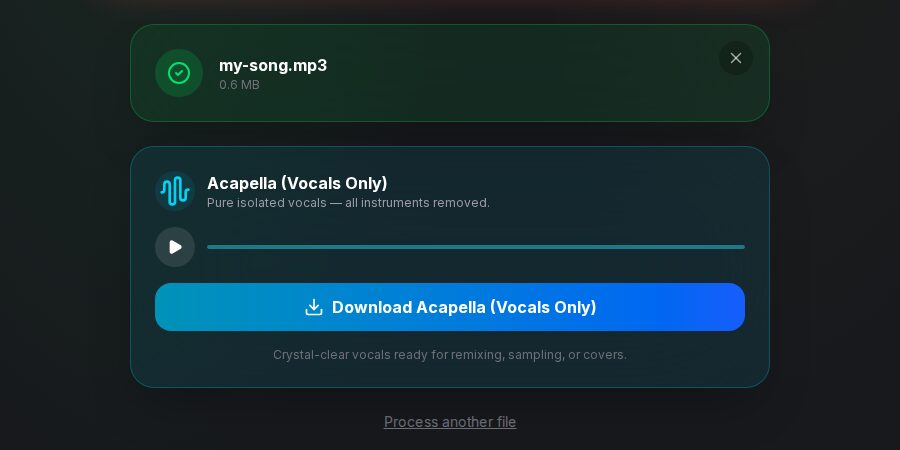
Open an AI acapella extractor, such as the free SongUp AI Acapella Extractor.
Drop in the song (MP3, WAV, M4A, FLAC or OGG). A lossless WAV or FLAC gives the cleanest vocal.
The AI separates the voice from the music.
Preview the isolated vocal and download it as a WAV file.
Want the music without the voice instead? That is the Karaoke Maker. Want drums, bass and the rest as separate tracks too? Use the Stem Separator.
An acapella extractor keeps the vocal stem and mutes everything else.
Where "official" isolated vocals come from
Before AI separation, isolated vocals only existed if someone involved in the recording released them. They still do, and an official acapella is always cleaner than anything extracted:
Multitrack masters. Every studio recording keeps the vocal on its own track. When you hear a famous vocal "isolated" on a documentary or a viral clip, it often comes from the original multitrack.
Acapella releases. Labels sometimes release vocal-only versions for DJs and remixers. The best-known example is Jay-Z's The Black Album (2003), whose acapella edition led directly to Danger Mouse's The Grey Album, a mashup with the Beatles' White Album.
Remix contests and stem packs. Artists and labels publish stems, vocal included, so fans can remix a single.
Vinyl and DJ promos. Many 12-inch singles from the 1980s and 1990s carried an acapella on the B-side for DJs.
Most of the "isolated vocals" videos and playlists you find online today are not official. They were made by fans running the finished song through an AI separator, which is the same thing you can do yourself.
How AI isolates vocals from a finished song
A finished song is one stereo file. The voice and the guitar share the same frequencies at the same moments, so there is no "vocal layer" to switch off.
An AI separator solves this with source separation: a neural network trained on thousands of songs where the separate tracks were known listens to the mix and rebuilds each part as its own track, called a stem. The vocal stem is your acapella; the other stems together are the instrumental. The vocal removal guide explains stems in more detail, with every combination you can make from them.
The SongUp AI Acapella Extractor runs that kind of model on your song and gives you the vocal as a WAV file.
How to make isolated vocals with the Acapella Extractor
Get the best source you can. A WAV or FLAC file beats an MP3, and a 320 kbps MP3 beats a 128 kbps one. Compression smears the high frequencies where breaths and consonants live, and the AI can't put them back.
Open the Acapella Extractor and drop in the file. It accepts MP3, WAV, M4A, FLAC and OGG.
Let it run. The model separates the vocal from the music. A laptop or desktop is the quickest place to run it.
Listen before you download. Check the loud chorus and the quiet verse: the chorus is where drums and guitars most often bleed into the vocal.
Download the WAV. Keep it as WAV while you work on it; convert to MP3 only at the end, with the Audio Converter if you need a smaller file.
How to get the cleanest acapella
AI separation is very good on most pop, rap and R&B, and harder on some songs. These tips make the difference.
Problem
Why it happens
What to do
Drum or hi-hat ghosts in the vocal
Hi-hats share the "s" and "t" frequencies of a voice
Use a lossless source; on a remix, a high-pass filter and a de-esser hide the rest
Reverb tail around every word
The reverb was printed into the vocal in the mix
Keep it, or run the vocal through the Noise Remover to dry it a little
Backing vocals mixed in
Harmonies are vocals too, so the AI keeps them
The Stem Separator and a careful edit are the best you can do; leads and harmonies stay together
Watery or phasey sound
The voice was very quiet or buried in the mix
Try a different master of the song (a single edit or a remaster often separates better)
Crowd noise on a live recording
The crowd is "other" to the AI, but cheering overlaps the voice
Use a studio version if one exists
For a remix, find the vocal's key and tempo next with the Key & BPM Finder, so you can build a beat that fits or pitch the vocal into a new key with the Pitch Changer.
The old ways to isolate vocals, and why AI replaced them
Before AI separators, there were two tricks. You'll still see them in old tutorials.
Phase inversion with the instrumental. If you have the exact official instrumental, flip its polarity and play it against the full song: everything the two share cancels out and the vocal remains. It works only if the instrumental is sample-for-sample identical to the backing in the song, which is rare outside official releases. One bit of different mastering and it fails.
Center-channel extraction. Lead vocals are usually mixed in the middle of the stereo field, so some tools keep only what is identical in both channels. That also keeps the kick drum, the bass and the snare, which are usually in the middle too, so the "acapella" comes out full of drums.
AI separation doesn't depend on either trick, which is why it works on almost any song.
What people use isolated vocals for
Singing practice. Listen to how the singer phrases a line, where they breathe, and how they move between notes. Then record yourself with the Voice Recorder and compare.
Studying a mix. Hear how much reverb, double-tracking and compression a professional vocal really has.
Remixes and mashups. Put the vocal over a new beat, or over another song's instrumental. The mashup guide shows how to match tempo and key, and the Mashup Creator does it automatically.
Covers. Use the instrumental from the Karaoke Maker and replace the original vocal with yours.
Sampling and vocal chops. Cut a word or a phrase from the acapella and turn it into an instrument with the Vocal Chop Maker.
Can you use isolated vocals legally?
Separating a song for personal use (practice, study, listening) is generally fine. Publishing is different: the vocal is still part of the original recording, and both the recording and the song belong to their owners.
Posting a remix or mashup that uses an extracted vocal needs permission from the rights holders. Without it, YouTube's Content ID and TikTok's systems may block, mute or claim the upload.
Official remix contests give you that permission for their stems, within their rules.
Your own songs are yours to separate and use however you like. If you make a song with SongUp AI on a paid plan, you get commercial rights to it.
Frequently asked questions about isolated vocals
What does "isolated vocals" mean?
Isolated vocals are the singer's voice on its own, with all the instruments removed. Producers call the result an acapella.
How do I get isolated vocals from a song for free?
Upload the song to the free SongUp AI Acapella Extractor with a free account. The AI separates the vocal from the music and you download the vocal as a WAV file.
What is the difference between an acapella extractor and a vocal remover?
They do the same separation and keep opposite halves. An acapella extractor keeps the voice and removes the music; a vocal remover keeps the music (a karaoke track or instrumental) and removes the voice.
Why does my isolated vocal have drums in it?
Hi-hats and snares share frequencies with the "s" and "t" sounds of a voice, so a little bleed is normal, especially from a compressed MP3. Start from a WAV or FLAC file for a cleaner result.
Can I separate the lead vocal from the backing vocals?
Not reliably. AI separators treat all singing as one vocal stem, so harmonies and doubles come out with the lead.
Where can I find official acapellas?
From official acapella releases, remix contest stem packs, DJ promo records, and occasionally the artist's own site. Most "isolated vocals" uploads online are fan-made AI separations.
Is it legal to post isolated vocals on YouTube?
Only with permission from the rights holders, or for a song you own. Extracted vocals from a commercial song are still that song, and Content ID can claim or block the upload.
The bottom line
Official acapellas are rare; isolated vocals are now something you can make from almost any song in a few minutes. Start from the best-quality file you have, run it through the Acapella Extractor, and listen to the loudest part before you download. Then practise with it, study it, or remix it, keeping in mind that publishing someone else's vocal still needs their permission.
Create Music with SongUp AI — Free
Generate radio-ready songs from simple text prompts, isolate stems, auto-master, and remix in seconds. No credit card required.